Seedance 2.5: A Detailed Look at What This AI Video Model Upgrade Actually Delivers
AI video generation has moved fast over the past two years, but most creators and professionals who have actually used these tools know the reality behind the hype. Early models produced short clips with obvious distortions. Human figures looked uncanny. You had almost no control over timing or composition. And the output was rarely clean enough to use in any professional context without heavy post-production work.
That gap between marketing promises and practical usability is worth being honest about, because it makes genuinely meaningful upgrades easier to recognize when they arrive.
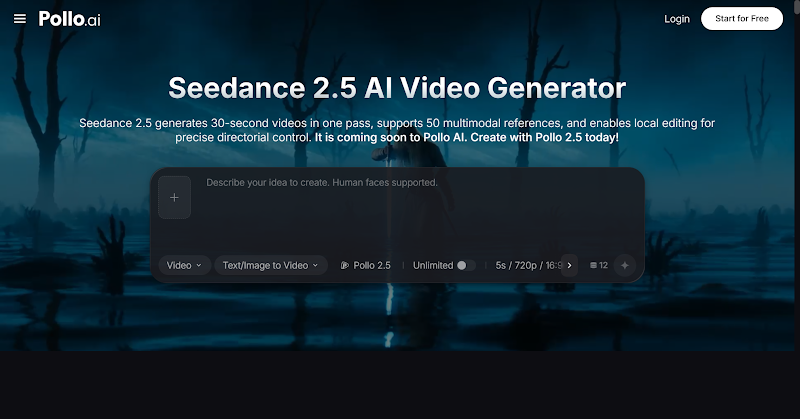
Seedance 2.5, available through Pollo AI, is a model upgrade that appears to be directly shaped by real user feedback — addressing specific, well-documented frustrations rather than chasing abstract benchmarks. Whether it fully delivers on every front will depend on individual use cases, but the feature set itself represents a clear response to what creators have actually been asking for.
Here is what has changed and what it means in practice.
The Problems Users Actually Reported
Before diving into new features, it is worth understanding the specific complaints that Seedance 2.5 is designed to address. These were not hypothetical pain points — they came directly from the creator community:
- Videos were too short to tell any meaningful story
- No way to control when specific actions happened within a video
- Non-English prompts produced poor results, forcing users through translation software
- Random subtitles and background music appeared uninvited in generated footage
- Human figures had a recognizable “AI face” that undermined believability
- Multiple characters in one scene tended to look like twins
- No green screen or white model support for post-production workflows
- No way to edit parts of a video without regenerating the whole thing
Each of these represents a real barrier to professional adoption. Seedance 2.5 attempts to address all of them in a single release.
Video Duration: From Clips to Actual Content
What changed: Single-generation videos now support up to 30 seconds. Users can then extend through multiple consecutive passes, reaching up to 60 seconds. A separate ultra-long video mode supports generation up to 180 seconds.
Why it matters: The previous duration limitations meant AI video was largely confined to social media snippets or visual accents within larger projects. Thirty seconds is enough for a product demonstration. Sixty seconds covers most social ad formats. And 180 seconds — three full minutes — enters the territory of explainer videos, short tutorials, and presentation supplements.
What to keep in mind: Extension through multiple consecutive passes means the quality and coherence of longer videos will depend on how well the model maintains consistency across passes. The 180-second ultra-long mode is a dedicated function, which likely involves different generation parameters than the standard mode. Users should expect to experiment with both approaches to find what works for their specific content type.
Timestamp Text Control: Directing by the Second
What changed: Creators can now specify exact timestamps in their text prompts to dictate when actions, transitions, and scene changes occur. For example, instructing a character to turn at second three, or triggering a scene transition at second five.
Why it matters: This is arguably the most significant creative control feature in the update. Previous AI video models treated the entire generation as a single block — you described what should happen, and the model decided when. Timestamp control introduces a fundamentally different relationship between creator and model, closer to actual directing.
For anyone producing educational content, presentations, or narrative sequences, this means the visual output can be scripted to align with planned voiceover or specific pacing requirements. That is a practical capability that bridges the gap between AI generation and traditional production planning.
What to keep in mind: The precision of timestamp responsiveness will likely vary depending on the complexity of the requested actions and the overall video length. Simple actions at specified moments should work reliably; complex overlapping instructions at rapid intervals may require iteration.
Multilingual Prompt Support
What changed: The model now accepts prompts in multiple languages. Chinese, English, Spanish, Indonesian, and Malay receive optimized support. Thai, Arabic, Portuguese, Vietnamese, Japanese, and Korean are broadly covered.
Why it matters: Previously, users working in languages other than English or Chinese often had to translate their prompts, losing nuance in the process. A prompt translated from Korean to English does not carry the same specificity — especially for culturally specific visual concepts or idiomatic descriptions.
For international teams or creators producing content for non-English-speaking audiences, this removes a genuine friction point. It also reflects a practical understanding of where AI video adoption is growing fastest — Southeast Asia, the Middle East, Latin America, and East Asia all represent significant and expanding user bases.
Cleaner Base Output: Removing Unwanted Subtitles and BGM
What changed: The model has been optimized to reduce instances of randomly generated subtitles and background music appearing in output that was not prompted to include them.
Why it matters: This was one of the more frustrating issues with earlier versions. You would generate a clean product shot or a character sequence, and the output would include text overlays or music that you never requested. For anyone planning to add their own text, branding, or audio in post-production, these unwanted elements meant either regenerating until you got clean output or spending time removing artifacts.
The improvement here is fundamentally about producing reliable base material. Professional workflows depend on predictable output — if you cannot trust that your raw footage will be clean, you cannot build efficient production pipelines around the tool.
Reduced AI Artifacts in Human Figures
What changed: The model has been substantially reworked to reduce the characteristic “AI look” in generated human subjects. Physical textures are more realistic, consistency across camera angle changes is improved, and the range of successfully rendered complex movements has expanded.
Why it matters: The “AI face” problem has been one of the biggest barriers to using generated video in any context where human subjects need to look convincing. Corporate communications, educational content, marketing — any scenario where viewers would immediately recognize artificial generation undermines the content’s credibility.
The multi-person improvement is equally important. When generating scenes with multiple characters, earlier models frequently produced faces that converged toward a similar appearance. The upgraded multi-person reference system aims to maintain distinct facial features for each character.
What to keep in mind: “Reduced” AI artifacts is not the same as “eliminated.” Viewers who are familiar with AI-generated content will likely still notice tells in certain scenarios, particularly with extreme close-ups or highly complex facial expressions. The improvement is real but represents progress on a spectrum rather than a complete solution.
Professional Post-Production Features
This is where Seedance 2.5 makes its most direct play for professional adoption.
Green Screen Editing
The model now supports generating footage with clean chromakey backgrounds. For video producers who work with compositing — placing subjects against custom backgrounds, integrating with live-action footage, or adding visual effects — this native support eliminates the need for external rotoscoping or background removal tools.
White Model Control
White model (or 3D proxy) control allows creators to define precise camera movements, character blocking, and spatial choreography using simplified 3D reference inputs. This is a capability borrowed from professional VFX and animation pipelines, and its inclusion signals that Seedance 2.5 is targeting users who think in terms of camera angles, staging, and spatial composition rather than just text descriptions.
Seamless Video Transitions
Users can input two separate video segments and have the model generate bridging footage to connect them. This addresses a common editing need — creating smooth transitions between scenes without jump cuts or abrupt changes.
Multi-Panel Storyboard Input
The model accepts multi-panel storyboard images — including simple line drawings or stick figure sketches — as reference inputs for generating coherent video sequences. This feature essentially lets creators sketch their vision on paper and use those sketches as generation guides.
This is particularly practical for users who think visually but lack the technical vocabulary to describe complex sequences entirely through text prompts.
Selective Editing Without Full Regeneration
What changed: Several new editing capabilities allow modifications to existing video without starting from scratch.
- Selective object removal and editing — identify and remove specific items from footage while preserving surrounding elements
- Spatial perspective modification — change camera angles within existing footage, with the model extrapolating spatial details not visible in the original frame
- BGM separation and removal — strip background music while preserving dialogue, narration, and on-screen text
- Creative migration — extract not just motion patterns but emotional tone, cinematographic style, and creative approach from reference videos and apply them to new generations
Why it matters: Full regeneration is the enemy of efficient workflows. Every time you need to regenerate an entire video because one element is wrong, you risk losing aspects of the output that were working well. Selective editing tools allow iterative refinement — fixing what needs fixing without disrupting what does not.
The BGM separation capability addresses a surprisingly common scenario: working with source video that has embedded music you want to remove while keeping the human voice track intact. This has practical applications in content repurposing, localization, and editorial workflows.
How This Compares to Other Available Tools
The AI video generation landscape includes multiple platforms at different maturity levels and targeting different use cases. Dreamina AI offers image generation and video creation capabilities that provide an accessible entry point for creators exploring AI-powered visual content. For users who need straightforward image-to-video conversion or basic creative generation, platforms like Dreamina deliver functional results with a relatively gentle learning curve.
Seedance 2.5 positions itself differently — not as an entry point but as a professional-grade tool designed for users who have specific technical requirements and are willing to invest time in learning more complex controls. The timestamp direction, white model control, green screen support, and selective editing features are capabilities that assume a user who already understands production concepts and wants AI to execute within those frameworks rather than replacing them.
Neither approach is universally better. The right choice depends entirely on what you are trying to produce, how much control you need, and where AI video fits within your broader production workflow.
Honest Assessment
Seedance 2.5 addresses real problems that real users identified. The feature list is responsive rather than speculative — these are capabilities that the creator community specifically requested, not features designed primarily for press releases.
That said, the practical performance of any AI model varies across use cases, and listed capabilities do not always translate uniformly into every scenario. Users should approach new features with a testing mindset: try the timestamp control with simple sequences before attempting complex multi-action timelines. Test the multi-person generation with two characters before scaling to group scenes. Evaluate the ultra-long video mode against your specific quality requirements rather than assuming 180 seconds will match the fidelity of shorter generations.
The most productive way to evaluate any AI video tool is through direct experimentation with your actual content needs — not through feature comparisons on paper. Seedance 2.5 provides enough genuinely new capability to warrant serious testing by anyone who has been waiting for AI video to reach a more professional standard.
The tools are improving faster than most people expected. Whether this specific release crosses your particular threshold for production readiness is something only hands-on experience will answer.